How to Sublimate a Bamboo Cutting Board: Step-by-Step Guide
Quick Answer
To sublimate a bamboo cutting board, use a board specifically coated for sublimation, print a mirrored design with sublimation ink, secure the transfer, and apply heat using the blank manufacturer’s settings. Ordinary untreated bamboo will not produce the same permanent transfer because traditional sublimation requires a compatible polymer coating, as explained in Sawgrass’s coating guide.
Quick Sublimation Steps
- Choose the right blank: Select a bamboo board with a manufacturer-confirmed sublimation coating.
- Prepare the design: Measure the printable area and mirror the artwork before printing.
- Position the transfer: Place the printed image against the coated face and secure it with heat-resistant tape.
- Apply controlled heat: Use the temperature, pressure, and pressing time specified for your exact board.
- Finish carefully: Remove the transfer as instructed, allow the board to cool, and inspect the image.
Important Safety Tip
Keep knives and direct food contact away from the printed coating unless the manufacturer explicitly approves those uses after decoration. For a practical kitchen board, reserve the unprinted, manufacturer-approved face for cutting.
Learning how to sublimate a bamboo cutting board opens up creative possibilities for personalized kitchen gifts and decorative pieces. You can add family names, photographs, monograms, or meaningful designs to an attractive bamboo surface.
I recommend focusing on the material before choosing a design. The correct coating, accurate temperature, and proper transfer placement make a bigger difference than complicated artwork.
This guide explains the complete process, including equipment, pressing settings, common mistakes, and cleaning. You’ll also learn why ordinary bamboo boards cannot always be sublimated successfully.
Can You Sublimate a Bamboo Cutting Board?
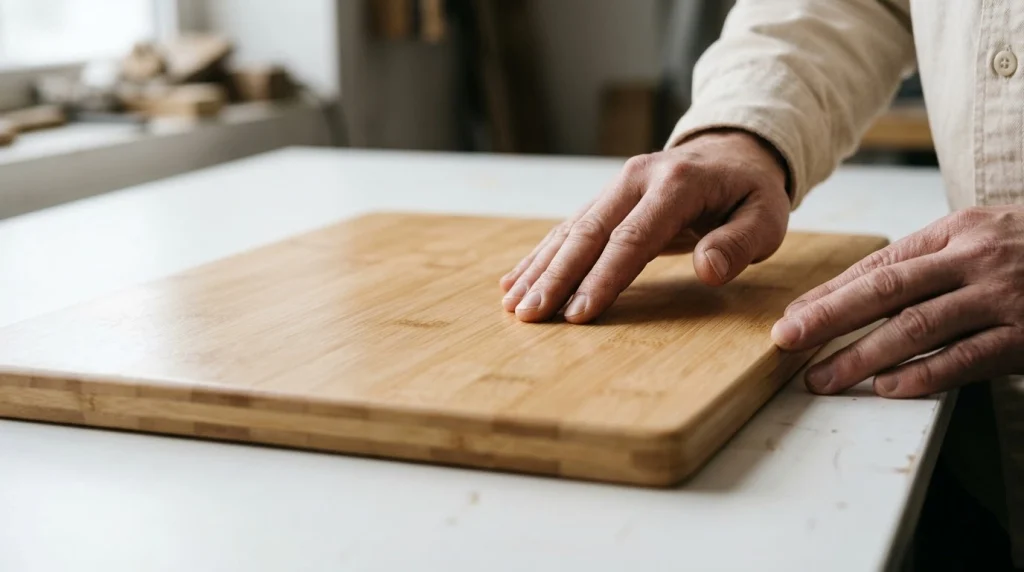
Yes, you can sublimate a bamboo cutting board when it has a compatible sublimation coating. The coating provides the surface needed for traditional dye-sublimation printing.
Sublimation is a heat-transfer printing process that uses special dyes, paper, and controlled heat. On compatible coated hard surfaces, the dyes become embedded in the coating rather than simply resting on bare wood.
Bamboo itself does not contain the polymer layer required for conventional sublimation. A standard grocery-store bamboo cutting board may therefore produce a faded, uneven, or easily damaged print.
What Makes a Bamboo Board Sublimation-Ready?
A sublimation-ready bamboo board has a factory-applied coating designed to receive sublimation dye. Manufacturers may coat one face while leaving the opposite side unfinished for another purpose.
- Compatible coating: A polymer-based receiving layer supports sublimation transfer.
- Flat printable area: An even surface helps maintain consistent pressure.
- Manufacturer settings: Published instructions identify suitable heat and pressing conditions.
- Defined printing side: Clear instructions help prevent pressing the wrong surface.
- Appropriate thickness: The board must fit safely inside your heat press.
Never assume that a smooth or shiny bamboo board is sublimation-ready. Check the product specifications before attempting a transfer.
Can You Sublimate Untreated Bamboo?
Traditional sublimation ink does not permanently bond to bare bamboo in the same way it bonds to a coated blank. Even if a faint image appears, durability and color quality can be disappointing.
Some specialized transfer systems can decorate untreated wood, but they use different materials and instructions. Do not treat those methods as interchangeable with conventional sublimation.
What Supplies Do You Need to Sublimate Bamboo?
You’ll need a compatible bamboo blank, sublimation printer, sublimation ink, transfer paper, and a suitable heat press. A few protective accessories also help prevent transfer movement and unwanted ink marks.
Essential Equipment and Materials
- Sublimation bamboo cutting board: Choose a factory-coated blank with published pressing directions.
- Sublimation printer: Use a printer configured for compatible sublimation ink.
- Sublimation ink: Regular office printer ink will not work for conventional sublimation.
- Sublimation transfer paper: Select paper compatible with your ink and printer.
- Flat heat press: A press with suitable temperature control and clearance is preferable.
- Heat-resistant tape: Secure the transfer without letting it move.
- Protective paper: Clean, uncoated blowout paper helps protect the press.
- Heat-resistant gloves: Protect your hands when handling hot materials.
- Lint-free cloth: Remove dust from the printable surface.
- Heat-resistant work surface: Provide a safe area for cooling.
Is a Heat Press Better Than a Household Iron?
A controlled heat press is generally the better option for bamboo sublimation. It distributes heat across the printable area and provides more repeatable pressing conditions.
A household iron has a smaller contact area and less reliable pressure control. These limitations make uneven transfers more likely, especially on thick wooden boards.
I would choose a flat heat press for detailed images or personalized gifts. Always confirm the machine can accommodate your board’s thickness.
What Temperature and Time Should You Use for Bamboo Sublimation?
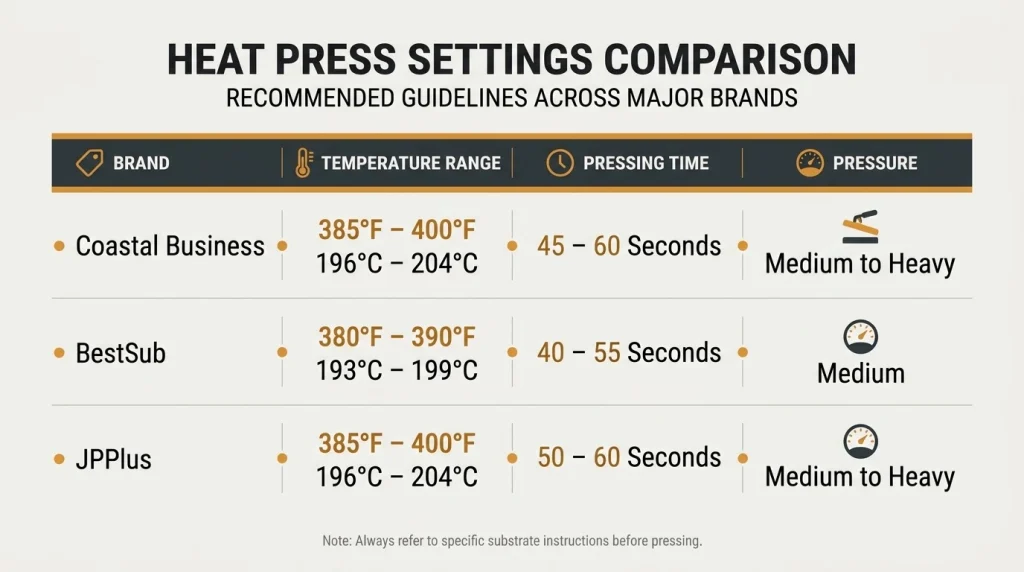
Bamboo sublimation settings depend on the manufacturer, board construction, coating, and pressing setup. There is no single temperature-and-time combination that works for every bamboo blank.
For example, Coastal Business specifies 385–400°F for 120–180 seconds on one coated bamboo board. Other manufacturers recommend different settings.
Bamboo Sublimation Heat Press Settings Comparison
| Manufacturer / Product | Temperature | Time | Pressure / Setup |
|---|---|---|---|
| Coastal bamboo cutting board, 7.5 x 11.5 inches | 385–400°F | 120–180 seconds | Medium |
| BestSub selected bamboo boards | 356°F (180°C) | 120 seconds | Craft heat press; model-specific preheating instructions |
| JPPlus large bamboo board, without pad | 360–375°F | 80–90 seconds | Heavy |
| JPPlus large bamboo board, with specified pad | 375–390°F | 3.5–4 minutes | Heavy; specified sponge-pad configuration |
Important: These are manufacturer-specific examples, not universal settings. Follow the instructions supplied with your exact cutting board and pressing equipment.
You can review the Coastal bamboo board specifications and the JPPlus sublimation instructions for detailed examples.
Why Do Bamboo Sublimation Settings Vary?
The coating formulation, board thickness, and heat-press configuration affect how heat reaches the printable surface. A thick bamboo board behaves differently from a thin aluminum sublimation blank.
- Different coatings: Manufacturers may use different receiving layers.
- Different thicknesses: Thick boards can require different heat-transfer arrangements.
- Press construction: Manual and craft presses may apply heat differently.
- Protective pads: Specialized pads can change the required pressing time.
- Pressure differences: Uneven contact can produce incomplete transfers.
Record the settings that work for your specific blank. A small test design is more reliable than copying settings from unrelated products.
How to Sublimate a Bamboo Cutting Board Step by Step
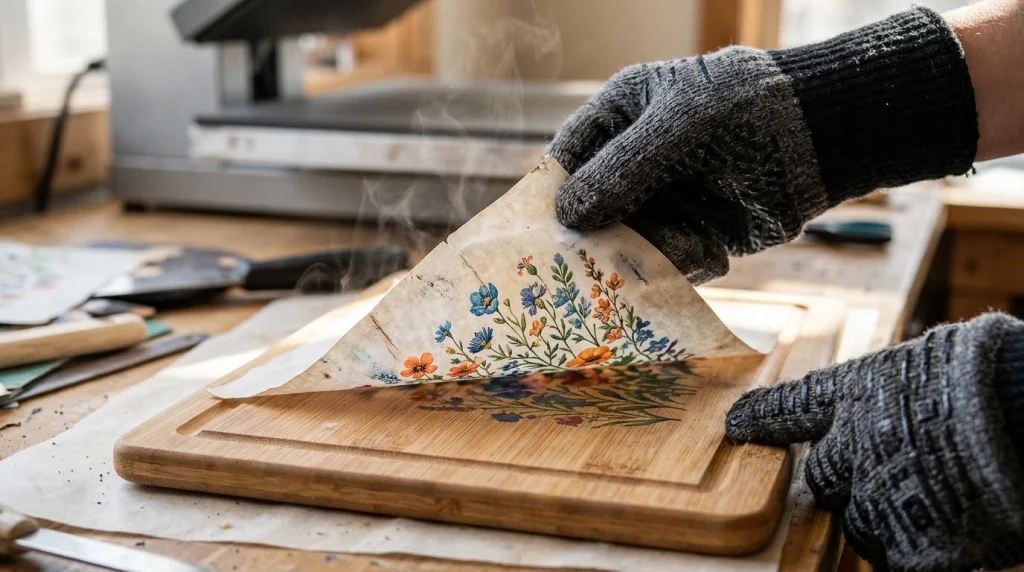
Start with a clean, manufacturer-approved sublimation blank and prepare the artwork for its printable area. The following process follows conventional sublimation principles while leaving exact pressing settings to the product manufacturer.
Step 1: Select a Compatible Bamboo Cutting Board
Choose a bamboo board explicitly labeled for sublimation printing. Check whether its printable coating covers one side or both sides.
Inspect the surface for scratches, damaged coating, cracks, or uneven areas. A defective blank can produce disappointing results even with accurate press settings.
- Check the exact product name or model number.
- Confirm which side accepts sublimation ink.
- Read the manufacturer’s temperature instructions.
- Check the board’s thickness against your heat press clearance.
- Review any food-contact restrictions.
For first-time projects, I recommend a relatively small rectangular blank. A simple shape makes transfer alignment easier.
Step 2: Measure the Printable Surface
Measure the coated area rather than relying on the board’s total dimensions. Handles, holes, rounded corners, and uncoated borders may reduce your usable design space.
Leave a small margin around lettering and important image details. This helps prevent names or decorative elements from appearing crowded near the edges.
A full-coverage background needs a different layout from a centered monogram. If the design extends to the edge, confirm that your blank supports edge-to-edge printing.
Step 3: Create Your Sublimation Design
Prepare your artwork in compatible design software, such as Canva, Adobe Illustrator, or another image editor. Use the measured printable area to set your canvas size.
For detailed photographs, 300 pixels per inch at the intended print size is a useful design target. Higher source resolution cannot compensate for a blurred original photograph.
- Family names: Use readable lettering with generous spacing.
- Monograms: Keep the design centered and balanced.
- Photographs: Choose bright images with good contrast.
- Recipe artwork: Use legible text and avoid tiny lettering.
- Wedding gifts: Combine names, dates, and simple decoration.
Remember that sublimation printers generally do not print white ink. White elements in the artwork may show the natural bamboo color instead.
Step 4: Mirror and Print the Design
Mirror the artwork before printing if required by your transfer workflow. This is particularly important for names, dates, and other text.
Load compatible sublimation transfer paper into your configured printer. Select the correct paper type, ink settings, and color-management profile for your equipment.
- Confirm the design dimensions.
- Enable horizontal mirroring.
- Select the correct sublimation printer.
- Use the appropriate print settings.
- Print on the designated printable side.
- Allow the transfer to dry according to the paper manufacturer’s instructions.
Sublimation transfers often look less vibrant on paper than on the finished product. This alone does not mean the print has failed.
Step 5: Prepare the Board and Heat Press
Clean the coated surface gently with a dry, lint-free cloth. Remove dust and fingerprints without scratching the receiving layer.
Preheat your press according to its operating instructions. If the bamboo manufacturer requires a pre-press cycle, follow that procedure exactly.
Do not soak the board or apply ordinary cutting-board oil before sublimating the coated face. Moisture or oily residue may interfere with printing.
Step 6: Position and Secure the Transfer
Place the printed side of the transfer against the coated bamboo surface. Align the design carefully before securing the paper.
Use small pieces of heat-resistant tape where the manufacturer permits. Avoid placing ordinary adhesive tape in contact with heated surfaces.
- Keep the image centered within the printable area.
- Ensure the paper lies flat against the coating.
- Prevent the transfer from shifting during handling.
- Protect the press using clean blowout paper.
- Follow the specified board orientation and padding arrangement.
Unwanted transfer movement can create a doubled or blurry image known as ghosting. Careful taping helps reduce this problem.
Step 7: Press the Bamboo Cutting Board
Place the secured board inside the heat press using the arrangement specified by the blank manufacturer. Some instructions require the transfer above the board, while others specify a different configuration.
Apply the approved temperature, pressure, and time. Avoid increasing the heat simply because the surface is made from bamboo.
Use protective paper to reduce ink contamination on the heat press. Keep your hands away from heated platens while the machine operates.
Safety reminder: Never force a thick board into a press that lacks sufficient clearance. Follow the heat press manufacturer’s limits for rigid materials.
Step 8: Remove the Transfer and Let the Board Cool
Open the press carefully after the required cycle finishes. Follow the blank manufacturer’s instructions for removing the transfer paper.
Use heat-resistant gloves and appropriate tools when handling the hot board. Move it to a clean, heat-resistant surface without touching the printed area unnecessarily.
Allow the board to cool without placing it in cold water. Rapid cooling methods are unnecessary and may expose bamboo to avoidable stress.
Step 9: Inspect the Finished Design
Check the image for sharp edges, balanced placement, and consistent color. Inspect the coated surface for bubbling, peeling, scorching, or other visible damage.
A successful transfer should look even and well-aligned. Compare your result against the original design while accounting for the warm background color of bamboo.
- Check text orientation and spelling.
- Inspect fine lines and photo details.
- Look for blurry or doubled edges.
- Check for unexpected brown spots.
- Confirm the coating remains intact.
If the result is defective, adjust your process on another test blank. Repressing a finished board without manufacturer guidance may damage the coating.
What Are the Most Common Bamboo Sublimation Problems?
Most bamboo sublimation failures involve the wrong blank, inconsistent heat, poor contact, or transfer movement. Identifying the specific symptom helps you make a useful correction.
Bamboo Sublimation Troubleshooting Table
| Problem | Possible Cause | Recommended Action |
|---|---|---|
| Faded image | Incompatible coating or insufficient transfer | Verify the blank and manufacturer settings. |
| Blurry or doubled text | Transfer movement | Secure the transfer before pressing. |
| Uneven color | Inconsistent pressure or heating | Check press contact and board positioning. |
| Brown paper or scorching | Excessive heat or pressing time | Recheck the product instructions before testing again. |
| Board warping | Heat, moisture, or uneven material stress | Stop heating and assess the board after cooling. |
Why Is My Sublimation Print Faded?
A faded image can result from an unsuitable coating, inadequate heat transfer, or incorrect printer settings. Check the receiving surface before changing the temperature.
Natural bamboo also influences the final appearance because it is not pure white. Light colors may appear less vivid than they would on a white-coated blank.
Why Does the Design Look Blurry?
Blurry transfers often occur when the paper shifts during pressing or removal. Even small movements can create visible duplicate outlines.
Keep the transfer secured and follow the recommended removal method. Avoid sliding the paper across the hot surface.
Can Heat Damage a Bamboo Cutting Board?
Yes, excessive or uneven heating can discolor bamboo or stress its bonded construction. Incorrect heat exposure may also damage the sublimation coating.
If the board develops a permanent bend, inspect it before reuse. You can learn more about moisture and structural damage in this guide to fixing a warped cutting board.
Is a Sublimated Bamboo Cutting Board Food-Safe?
A sublimated bamboo board should not automatically be considered safe for direct food contact on its printed surface. Safety depends on the coating, ink system, processing conditions, and manufacturer’s intended use.
Some suppliers specifically warn that they cannot guarantee food-contact safety after customer decoration. For that reason, I recommend using the printed side primarily for display unless post-decoration food-contact approval is clearly documented.
Can You Cut Food on the Printed Side?
Avoid cutting directly on a sublimated coating unless the manufacturer explicitly approves it for knife contact. Knife marks can damage the decorative finish and expose underlying layers.
For a functional two-sided product, choose a board designed with a separate unprinted cutting surface. You can also read about the differences between decorative serving boards and functional cutting boards in this serving-board safety guide.
What About Serving Cheese or Other Foods?
Directly serving food on a printed surface requires the same manufacturer-specific food-contact approval. A decorative appearance or the term “serving board” does not establish coating safety after printing.
For food preparation, follow the FoodSafety.gov food safety guidance. Keep raw meat preparation separate from foods that will be eaten without further cooking.
How Do You Clean a Sublimated Bamboo Cutting Board?
Clean a sublimated bamboo board according to the blank manufacturer’s care instructions. Many coated bamboo suppliers recommend gentle hand washing instead of dishwashing.
Avoid prolonged soaking, abrasive scrubbers, and harsh cleaning products that could harm the printed finish. Dry the board promptly after cleaning.
Recommended Cleaning Routine
- Remove loose food particles from approved food-contact surfaces.
- Wash gently with mild dish soap and warm water if the manufacturer permits.
- Avoid abrasive brushes on the decorated coating.
- Rinse according to the manufacturer’s care instructions.
- Dry promptly with a clean towel.
- Allow both faces to air-dry before storage.
Do not put the board in the dishwasher unless its manufacturer expressly approves that cleaning method. For a broader material comparison, see which cutting boards are dishwasher safe.
Should You Oil a Sublimated Bamboo Board?
Do not apply mineral oil over the sublimated coating unless the manufacturer recommends it. Oil intended for bare bamboo may interfere with a decorative surface.
If the opposite side is unfinished bamboo, it may need separate conditioning according to the board manufacturer’s directions. Learn about suitable products and techniques in this guide to oiling a bamboo cutting board.
What Designs Work Best on Bamboo Cutting Boards?
Simple designs with readable text and strong contrast often suit bamboo’s warm natural color. The best artwork should complement the material instead of fighting against its grain pattern.
Personalized Design Ideas
- Family name boards: Combine a surname with a meaningful date.
- Wedding gifts: Add initials and a wedding date.
- Housewarming gifts: Feature a welcoming message or kitchen-themed illustration.
- Recipe keepsakes: Reproduce a family recipe with readable lettering.
- Holiday decorations: Use seasonal artwork for a kitchen display.
- Business gifts: Add an appropriate logo with sufficient contrast.
I prefer placing important wording near the center while leaving space around the board’s edges. This creates a cleaner layout, particularly on small boards with handles.
As of 2026, personalized bamboo blanks are available in several shapes, including rectangular, round, and paddle designs. Always choose the artwork after confirming the exact dimensions and printable side.
Recommended Products for Bamboo Sublimation
If you’re preparing your first bamboo sublimation project, begin with a reliable coated blank and compatible transfer supplies. The following options cover different project needs.
Selection note: These are specification-based recommendations, not hands-on test results. The suitability scores below are editorial assessments rather than verified customer ratings.
🏆 Best Starter Blank
Coastal Business 7.5 x 11.5-Inch Bamboo Sublimation Cutting Board
★★★★☆ Editorial fit: 4/5
This rectangular bamboo blank includes a sublimation-ready coating and a handle opening. Its published pressing instructions make it a practical option for learning a repeatable workflow.
I’d choose it for a first personalized name design rather than starting with a complicated full-photo layout.
🎁 Best for Round Gifts
JPPlus 11.8-Inch Round Bamboo Sublimation Cutting Board
★★★★☆ Editorial fit: 4/5
This round bamboo blank has a sublimation-coated side and an uncoated side suitable for approved alternative personalization methods. The circular shape works well with monograms and centered designs.
I’d consider this style for commemorative gifts, while checking the supplier’s post-decoration food-contact restrictions.
🖨️ Best Transfer Supply
A-SUB 125gsm Sublimation Paper, 8.5 x 11 Inches
★★★★☆ Editorial fit: 4/5
A-SUB offers 125gsm sublimation transfer paper for compatible inkjet sublimation systems. The letter-size format is convenient for smaller artwork that fits within its printable area.
I’d select the paper size only after measuring the intended design and confirming printer compatibility.
Frequently Asked Questions
1. Can I sublimate a regular bamboo cutting board?
A regular untreated bamboo cutting board is not suitable for conventional sublimation printing. The ink requires a compatible receiving coating on hard surfaces. Choose a factory-coated blank or a separately documented transfer system designed for untreated wood. Do not assume that an ordinary bamboo finish is compatible with sublimation.
2. Do I need to seal bamboo before sublimation?
You do not normally need to add another sealant to a factory-coated sublimation blank. Its receiving surface is already prepared for the printing process. Applying an unidentified spray, varnish, or coating may create transfer problems and introduce food-contact concerns. Follow the manufacturer’s instructions instead.
3. What temperature should I use for bamboo sublimation?
Use the temperature specified by your exact blank manufacturer. Some coated bamboo boards require settings around 356°F, while others specify temperatures approaching 400°F. Pressing time and pressure also vary significantly. Never rely on temperature alone, and perform a test using the recommended complete setup.
4. Can I use a Cricut EasyPress on a bamboo cutting board?
A Cricut EasyPress may work with some compatible rigid blanks, but the result depends on board thickness, pressure requirements, and manufacturer instructions. Many bamboo products are designed for conventional flat heat presses. Confirm that your specific press and blank support the same process before attempting the transfer.
5. How long does sublimation last on bamboo?
A correctly sublimated design can remain attractive for an extended period when the coating stays intact and the board receives appropriate care. There is no universal lifespan because durability depends on coating quality and usage. Avoid knife contact, abrasive cleaning, dishwashers, and prolonged moisture exposure unless the manufacturer approves them.
Final Thoughts: How to Sublimate a Bamboo Cutting Board Successfully
Learning how to sublimate a bamboo cutting board starts with choosing the right material. A compatible coating, carefully prepared transfer, and manufacturer-approved heat settings are the foundation of a successful project.
For your first attempt, use a simple design and a well-documented sublimation blank. Record your results so you can repeat the process more confidently.
Keep the decorated surface separate from cutting and direct food contact unless its manufacturer approves those uses after printing. With careful preparation and proper handling, a personalized bamboo board can become an attractive kitchen decoration or thoughtful gift.
Ready to start? Choose a confirmed sublimation-ready bamboo board, check its instructions, and create a small test design before making your finished gift.